A lead management system automates how businesses capture, qualify, route, and nurture prospects from initial contact through conversion. These systems ensure leads move quickly through the pipeline, sales reps focus on high-value opportunities, and teams gain clear visibility into which activities drive revenue. Without effective lead management, even strong inbound demand leaks out of the funnel due to slow response times, inconsistent processes, or a lack of alignment between marketing and sales. 
Modern lead management systems have evolved beyond manual spreadsheets and disconnected tools. Buyers move quickly, and organizations need systems that automate lead capture, scoring, routing, and follow-up without adding complexity. AI-powered lead management systems now offer intelligent scoring, predictive routing, and personalized engagement, enabling teams to respond faster and convert more efficiently.
This guide explains what a lead management system is, how it differs from a CRM, which features matter most for scaling teams, how AI improves performance, and which platforms deliver the best results for SMB and mid-market organizations.
Table of Contents
- What is a lead management system?
- CRM vs lead management software
- Core features to look for in a lead management tool
- Best lead management systems and tools for growing businesses
- Frequently asked questions about lead management systems
What is a lead management system?
A lead management system automates the process of capturing, qualifying, routing, and nurturing leads from first contact through sales handoff. While a CRM stores contact and company data, a lead management system uses that data to move leads through qualification stages and into the sales pipeline using structured workflows, scoring models, and automated follow-up.
Lead management systems help revenue teams reduce manual tasks, standardize handoffs between marketing and sales, enforce response-time SLAs, and create repeatable processes from first touch to opportunity creation. These systems prevent the most common revenue leaks in fast-growing companies: missed leads, slow follow-up, and inconsistent qualification criteria.
How it works in practice
Marketing captures leads from forms, ads, chat, or meetings. The system enriches each record with firmographic data or intent signals. Then, scoring models evaluate fit and readiness. Routing rules assign the lead to the right rep or queue based on territory, product interest, or deal size. Nurture workflows and sales sequences automate timely follow-up, while dashboards show conversion rates and bottlenecks across the entire process.
A CRM acts as the database behind these actions. A lead management system is the workflow engine that operationalizes them. When both run inside one unified platform — such as HubSpot’s Smart CRM — the process becomes faster, more consistent, and easier to manage.
TL;DR: A lead management system encompasses lead capture, scoring, routing, nurturing, and reporting capabilities that automate the entire lead lifecycle. It differs from a CRM by operationalizing workflows rather than just storing data.
CRM vs lead management software
TL;DR: CRM systems store and organize customer data, while lead management software automates the activities that convert early-stage interest into qualified pipeline. Unified platforms like HubSpot combine both capabilities on a single source of truth.
A CRM answers foundational questions: Who is this contact? What interactions have occurred? Which deals or tickets are associated with them? It provides the database where marketing, sales, and service teams track relationships.
As SLAs between sales and marketing grow more popular, lead management software focuses on operational questions on the sales side: What should happen next? How do we route this lead? Who should follow up? How should they follow up, and what cadence should they use if they aren’t immediately about to connect? What actions will move this lead closer to an opportunity?
Key differences in scope:
Function | CRM | Lead Management Software |
Data storage | Core function | Uses CRM data |
Lead capture | Basic | Comprehensive |
Scoring | Varies | Core feature |
Routing | Limited | Automated and rules-based |
Nurture & sequences | Varies | Embedded |
Reporting | Contact & deal-focused | Lifecycle-focused |
The best experience comes from a unified platform where both CRM and lead management run together. HubSpot’s Smart CRM combines data, automation, scoring, routing, and reporting in one place, reducing stack complexity and enabling teams to move faster without managing multiple tools.
Core features to look for in a lead management tool
The most effective lead management tools deliver the following core capabilities that directly impact pipeline velocity: automated lead capture and enrichment to eliminate manual data entry, intelligent scoring and qualification to surface high-value prospects, rules-based routing to ensure fast follow-up, multi-channel nurture workflows to maintain engagement, and real-time dashboards to identify bottlenecks.
Growing teams evaluating lead management solutions should focus on these capabilities and how they drive measurable outcomes: lower response times, better qualification accuracy, smoother handoffs, and higher conversion rates.
Lead capture and enrichment
Lead capture and enrichment determine how reliably your system pulls prospects into your CRM and how complete each record is when it arrives. A strong tool should handle forms, chat, meeting links, pop-ups, and ad integrations without requiring extra plugins, and every submission should automatically sync with the CRM in real-time.
Enrichment fills in the details reps need — industry, size, location, tech stack, and key behaviors — so qualification doesn’t depend on guesswork or manual research. When the right capture and enrichment workflows are in place, teams eliminate early-funnel leakage, improve scoring accuracy, and give both marketing and sales a clean, complete foundation for the rest of the lead lifecycle.
TL;DR: The system should capture leads through various channels, including forms, chat, ads, meetings, and integrations, and automatically enrich each record with firmographic and behavioral data.
Capabilities to look for:
- Form builder with progressive profiling
- Lead capture from chat, chatbots, and meeting scheduling
- Ad and landing page integrations
- Automatic enrichment (firmographic + behavioral)
- Unified sync with data sources like HubSpot’s Data Hub
HubSpot Lead Capture Software includes forms, pop-ups, chat, and meetings, all feeding directly into the Smart CRM.
Scoring, routing, and queues
A strong scoring model blends firmographic fit with behavioral intent to surface the leads most likely to convert, and automated routing rules ensure those high-priority leads get assigned to the right rep immediately based on territory, ICP match, or workload. Once routed, queues help reps work efficiently by organizing follow-up in priority order so nothing slips through. For growing teams, this automation is what reduces manual triage, accelerates speed-to-lead, and creates a consistent process that scales.
TL;DR: Scoring, routing, and queues determine which leads deserve attention first and who should handle them, making this one of the most critical components of any lead management system.
Capabilities to look for:
- Predictive scoring models
- Custom scoring combining fit + intent
- Automated routing by territory, rep capacity, or industry
- Queue assignment with real-time notifications
- SLA timers and alerts
Pro tip: HubSpot provides both predictive scoring and advanced routing workflows.
Nurture and sequences
It would be great if all prospects responded immediately. Until then, you’ll need to utilize effective lead nurturing tactics to stay top of mind — so that when a need strikes, you’re there to meet it. Of course, a completely manual lead nurturing workflow is highly resource-intensive and a great way to burn out your sellers, which is why your lead management tool should automate this process to at least some degree.
TL;DR: Look for automated email nurture for early-stage leads and sales sequences for consistent, multi-channel follow-up.
Capabilities to look for:
- Email nurture workflows with branching logic
- Sales sequences combining calls, tasks, and emails
- AI-assisted content for personalization
- Task management and reminders
- Re-engagement triggers when leads return to the site
Dashboards and reporting
Dashboards and reporting translate your lead process into visibility and accountability, helping leaders diagnose bottlenecks — slow routing, inconsistent follow-up, low-quality sources — and quickly adjust scoring, nurture, or routing rules without guessing. With clean reporting in place, revenue teams can align around the same metrics, spot trends early, and run a more predictable, optimized sales pipeline.
TL;DR: The system must give clear insights into volume, quality, speed-to-lead, conversion rates, and drop-off points across the entire lifecycle.
Capabilities to look for:
- Speed-to-lead dashboards
- MQL → SQL → Opportunity conversion
- SLA compliance reporting
- Source performance and attribution
- Funnel and pipeline visualization
AI-assisted lead prioritization and recommendations
AI-assisted prioritization helps teams focus on the work that actually moves the pipeline by identifying high-intent leads, suggesting next steps, and automating routine tasks. Instead of manually sorting through contacts, reps receive a prioritized queue informed by behavioral patterns, historical conversion data, and signals such as return visits or high-value page views.
AI can draft follow-up emails, summarize recent interactions, recommend outreach sequences, and flag leads that need immediate attention. When AI is built into the CRM, these insights become part of the workflow, and reps gain meaningful leverage without adding complexity.
TL;DR: AI should help teams identify the highest-priority leads and automate repetitive work while improving the accuracy of scoring and next-step recommendations.
Capabilities to look for:
- AI-driven lead scoring
- Suggested next actions for reps
- AI-generated follow-up emails
- Prioritized queues based on fit and engagement
- Real-time notifications when leads re-engage
AI improves speed-to-lead, standardizes follow-up, and removes guesswork from prioritization. HubSpot’s AI tools operate directly on the Smart CRM, using historical data and engagement signals to improve lead handling at scale.
Pro tip: If you try to delegate too much to AI at once, it will fail and erode the trust of the sales team. Start small, and bite-sized wins will eventually turn into real momentum. Trust the process.
Integrations and data hygiene tools
Integrations and data hygiene capabilities determine whether your lead management system works smoothly with the rest of your tech stack and whether your CRM remains clean over time. When integrations and data quality are handled at the platform level, teams avoid sync issues, insufficient data, and workflow failures that undermine trust in the system.
TL;DR: A strong lead management solution should integrate cleanly with your website, ad platforms, chat tools, and existing tech stack while maintaining high data quality.
Capabilities to look for:
- Integrations with CMS, chat, ads, and email
- Data sync tools with field mapping
- Deduplication and data cleansing
- Support for account-based workflows
- Bi-directional sync with enrichment tools (Clearbit, ZoomInfo)
This is where platforms like HubSpot’s Data Hub simplify work that would otherwise require multiple add-ons or custom connectors.
Best lead management systems and tools for growing businesses
The tools below represent the strongest options for SMB and mid-market teams based on AI readiness, integration depth, automation capabilities, data quality, and ease of use.
1. HubSpot (Best overall for scaling teams)
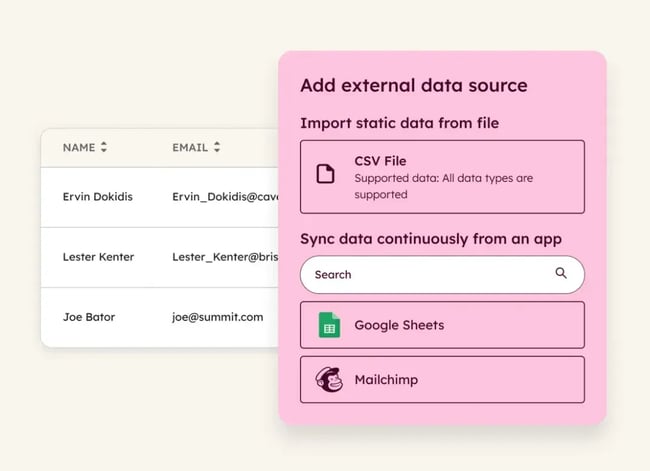
HubSpot Sales Hub is the most comprehensive AI-native lead management system for growing businesses. All core capabilities — lead capture, scoring, routing, automation, nurture, reporting, and AI — run on the unified Smart CRM. There is no need for sync connectors, multiple admin interfaces, or separate tools for scoring and routing. Everything sits on the same shared data layer.
Key strengths:
- Unified CRM + lead management + automation allow reps to stay organized and systematically reach out to the prospects most likely to close
- Predictive lead scoring and AI-assisted prioritization point out best-fit leads
- Rules-based routing with SLA management makes sure prospects are paired with the right reps along the sales journey
- Lead capture tools (forms, chat, meetings, pop-ups) keep the pipeline full
- Email nurture workflows and sales sequences mean prospects don’t fall through the cracks
- Data Hub’s two-way sync makes sure data is up-to-date through automated enrichment, cleansing, and deduplication
- HubSpot offers fast implementation compared to enterprise CRMs
Best for: HubSpot is particularly well-suited for teams transitioning from disparate tools to a cohesive system.
Pricing: Free CRM available; Starter Customer Platform starts at $9/seat/mo.
2. Salesforce Sales Cloud
Key features:
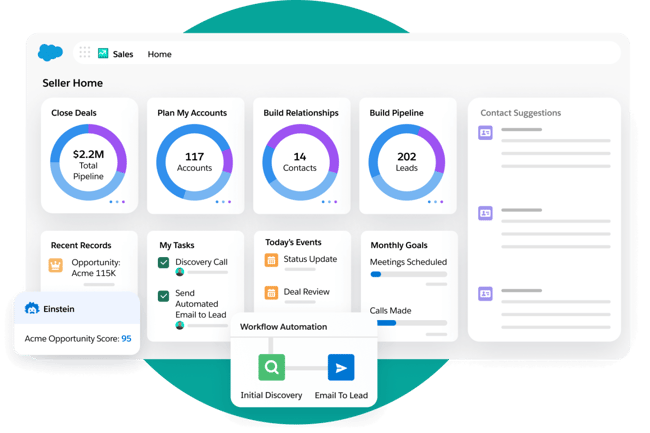
- Customizable scoring models that evaluate factors like engagement level, company size, and budget fit
- Tracks interactions, from initial contact through conversion
- Provides visibility into lead status, activity history, and pipeline health through dashboards
Considerations:
- Higher ownership cost compared to other options
- Longer onboarding often requires additional administrative resources
Best for: Enterprise teams with highly customized processes and large sales organizations.
Pricing: $25/user/mo on Essentials plan, increases to about $175/user/mo for Enterprise, depending on features.
3. Pipedrive
Key features:
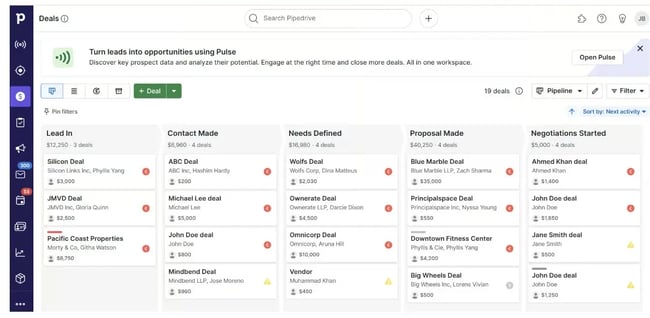
- A visual, pipeline-focused interface designed for sales teams
- Automated follow-up activities and reminders tied to specific lead statuses
- Built-in email tracking and communication logging that ensure complete visibility into the prospect’s journey
Considerations:
- Relatively basic built-in capabilities for nurturing leads over time, compared to more marketing-focused CRMs
- Less robust AI tools than other options
Pricing: Starts at $14/user/mo billed annually for basic CRM features. Higher tiers increase to $49/user/mo.
Ideal for: Small teams needing linear pipelines and simple lead management.
4. Zoho CRM
Key features:
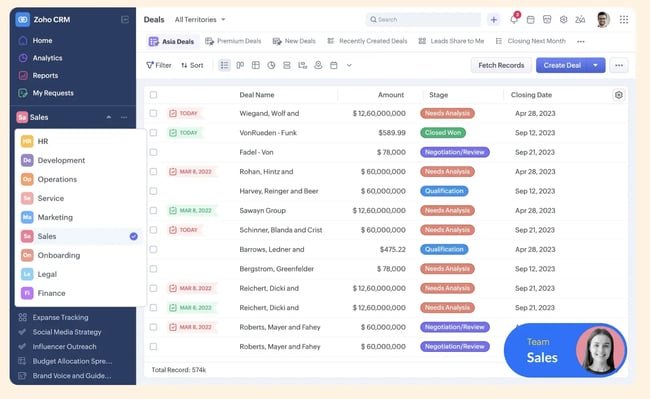
- Built-in email sequences and workflow automation that enable reps to nurture leads
- Personalized drip campaigns and automated task creation keep leads engaged
- Zia, Zoho’s AI assistant, which surfaces insights about the best time to contact leads and predicts conversion likelihood
Considerations:
- UI complexity means a steeper learning curve than other options
Best for: Teams that need a flexible CRM with built-in lead capture and automation.
Pricing: Free for up to three users, paid plans start at $20/user/mo.
5. Apollo.io

Key features:
- Lead enrichment with verified contact information
- Lead scoring rules that are applied to custom lists, making outreach easy
- Multi-channel sequences enable automated yet personalized outreach
Considerations:
- Not a CRM replacement and best used alongside a lead management platform
Best for: A strong complement for outbound teams with enrichment and some sequencing built in.
Pricing: A free plan is available; paid plans start at around $59/user/mo.
6. ZoomInfo
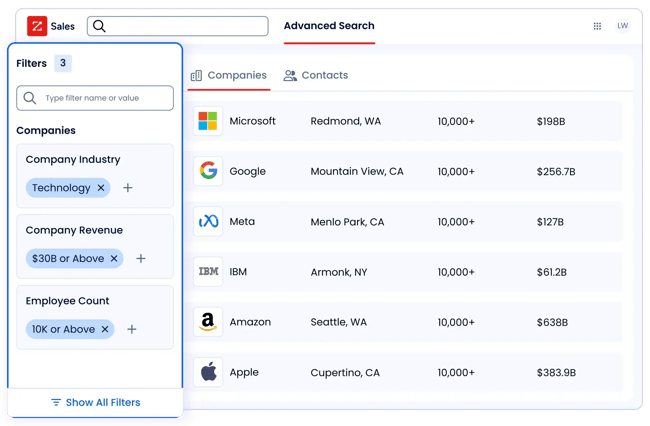
Enrichment tools that integrate with major CRMs to improve scoring and routing accuracy.
Key features:
- Lead segmentation using custom criteria
- Multi-channel sequences through ZoomInfo Engage
- Analytics dashboards that reveal which lead sources, messaging strategies, and account characteristics drive the highest conversion rates
Considerations:
- Extra cost
- Requires automation to deliver full value
Pricing: ZoomInfo licenses vary in price but start around $250/user/mo.
Best for: Teams that want enrichment tools that integrate with major CRMs to improve scoring and routing accuracy.
Pro tip: The efficacy of data sources will vary based on your industry and prospect. In software, consulting, and professional services, I’ve always had the best luck with ZoomInfo. At the same time, I know sellers catering to much smaller businesses who found Apollo.io to be a much better source of information (and at a far cheaper price).
Frequently asked questions about lead management systems
How long does it take to implement a lead management system?
Most businesses can activate a modern system in two to six weeks. Unified platforms like HubSpot typically deploy faster because scoring, routing, nurturing, and dashboards run on a single shared CRM.
What is lead management in CRM, and do I need both?
Lead management is the operational layer built on top of CRM data, encompassing scoring, routing, follow-up, and reporting. If these features exist inside your CRM, you don’t need two tools. HubSpot combines CRM and lead management natively.
Can I start with a free lead management system?
Yes. HubSpot’s free CRM includes lead capture tools, basic automation, email templates, and reporting. Paid tiers add predictive scoring, advanced routing, and deeper automation.
How do I measure lead routing effectiveness?
To measure lead rounding effectiveness, start by tracking these metrics:
- Speed-to-lead
- SLA compliance
- Lead acceptance rate
- MQL to SQL conversion
- Drop-off by lifecycle stage
- Count of unassigned or misrouted leads
The goal is to ensure high-intent leads reach reps quickly and consistently.
What KPIs should I track to measure lead management success?
Important KPIs include conversion rates between lifecycle stages, speed-to-lead, lead quality score, lead-to-opportunity rate, percentage of leads that enter sequences, and the impact of each lead source on revenue. Dashboards should highlight bottlenecks and show which sources consistently produce high-quality leads.
How do I integrate a lead management system with my existing tools?
Look for a platform with native integrations for your CMS, chat tools, ad platforms, and email service. A strong system should automate field mapping, deduplication, enrichment, and data synchronization. HubSpot’s Data Hub centralizes these tasks so you can connect data sources without custom engineering work.
It’s not the leads, it’s the system
A strong lead management system helps growing businesses capture every lead, qualify them accurately, route them quickly, and follow up consistently. The most effective tools combine lead capture, scoring, routing, nurturing, automation, and reporting in a single, unified platform. Systems that depend on multiple separate tools slow down teams, introduce data silos, and create inconsistent handoffs.
HubSpot stands out because it consolidates CRM, lead management, automation, and AI assistance into a single Smart CRM. From my experience working with growing businesses, the systems that drive long-term success are the ones teams actually adopt and use daily. HubSpot’s blend of usability, automation, and AI support makes it one of the strongest platforms for teams that want reliable, scalable lead management, which is why I’ve trusted it for the last decade for my own businesses.
